अगर आप नौकरी करते हैं और हर महीने आपकी Salary से PF कटता है — तो EPFO का नाम आपने ज़रूर सुना होगा। लेकिन बहुत से लोगों को आज भी यह नहीं पता कि EPFO असल में होता क्या है, इसका काम क्या है, और इससे जुड़े सारे काम online कैसे होते हैं।
इस article में EPFO से जुड़ी हर एक चीज़ को आसान हिंदी में cover किया गया है। UAN Login, PF Balance Check, EPF Withdrawal, KYC Update, PF Transfer, Grievance Portal, EPFO 3.0 — सब कुछ एक ही जगह।
📌 EPFO (Employees’ Provident Fund Organisation) भारत सरकार की एक statutory body है जो 1952 में Ministry of Labour and Employment के अंतर्गत स्थापित हुई। यह EPF, EPS और EDLI — तीन schemes manage करती है और देश के 7 करोड़+ employees के retirement savings को secure करती है।
⚠️ EPFO Fraud से सावधान रहें: EPFO कभी भी phone पर Aadhaar, PAN, OTP या Bank details नहीं माँगता। EPFO कभी किसी को पैसे deposit करने के लिए contact नहीं करता। हमेशा सिर्फ Official URL epfindia.gov.in से ही login करें। किसी भी fake website या call से बचें।
📌 EPFO क्या है? EPFO का Full Form है Employees’ Provident Fund Organisation — हिंदी में कर्मचारी भविष्य निधि संगठन। यह भारत सरकार का एक statutory body है जो organized sector के employees के retirement savings, pension और insurance को manage करता है।
EPFO का Full Form क्या है?
EPFO = Employees’ Provident Fund Organisation हिंदी: कर्मचारी भविष्य निधि संगठन
यह भारत सरकार के Ministry of Labour and Employment के अंतर्गत काम करने वाला एक statutory body है, जिसकी स्थापना 1952 में हुई थी। आज के समय में EPFO भारत के सबसे बड़े social security organizations में से एक है — देश के लगभग 7 करोड़ से भी ज़्यादा active सदस्यों के retirement savings को manage करता है और 147 Regional Offices के ज़रिए पूरे देश में operate करता है।
EPFO का काम क्या है?
EPFO तीन मुख्य schemes manage करता है:
1. EPF — Employees’ Provident Fund (कर्मचारी भविष्य निधि) Retirement savings scheme — employee और employer दोनों हर महीने contribute करते हैं।
2. EPS — Employees’ Pension Scheme (कर्मचारी पेंशन योजना) Retirement के बाद हर महीने pension। Minimum 10 साल की service ज़रूरी है।
3. EDLI — Employees’ Deposit Linked Insurance Scheme Life insurance — नौकरी के दौरान मृत्यु होने पर परिवार को एकमुश्त insurance amount।
EPFO और EPF में क्या फ़र्क़ है?
EPFO = Organization (संगठन) — जो EPF को manage करता है। EPF = Fund/Scheme (योजना) — EPFO द्वारा चलाई जाने वाली scheme।
जैसे IRCTC एक organization है और Railway Ticket Booking उसकी service — ठीक वैसे ही।
EPF Contribution कितना होता है?
EPF में Employee की Basic Salary + DA पर calculation होती है:
20+ employees वाली companies के लिए EPF mandatory है
EPFO किसके लिए है?
Organized sector के सभी salaried employees जिनकी company में 20+ employees हों। कुछ companies voluntarily भी register होती हैं।
EPFO 3.0 — नया Upgraded System (2026)
📌 EPFO 3.0 क्या है? EPFO 3.0 EPFO का नया upgraded version है जो 2025 में launch हुआ। इसमें faster claims, Aadhaar Face Authentication, auto-credit system और बेहतर UI/UX शामिल हैं।
EPFO 3.0 एक बड़ा digital transformation है जिसने EPFO की सभी services को और faster और user-friendly बना दिया है।
EPFO 3.0 की मुख्य Features:
1. Faster Claim Processing पहले claims 20-25 दिन में settle होती थीं। EPFO 3.0 के बाद verified KYC members के लिए सिर्फ 3-7 working days लगते हैं।
2. Aadhaar Face Authentication (FAT) UAN Activation और कई services अब Aadhaar-based Face Authentication से होती हैं — बिना OTP के भी।
3. Auto-Credit System Employer ECR file करने के बाद amount faster credit होता है।
4. Better Portal UI/UX नया interface ज़्यादा simple और mobile-friendly है।
5. Centralized Account Management एक UAN से सभी services — एक ही dashboard पर।
6. Direct UAN Allotment — अब UMANG App से EPFO ने Unified Portal से Direct UAN Allotment बंद कर दिया है। अब UAN सिर्फ UMANG App के ज़रिए Aadhaar Face Authentication से generate होता है।
EPFO Unified Portal Login — Step-by-Step Guide
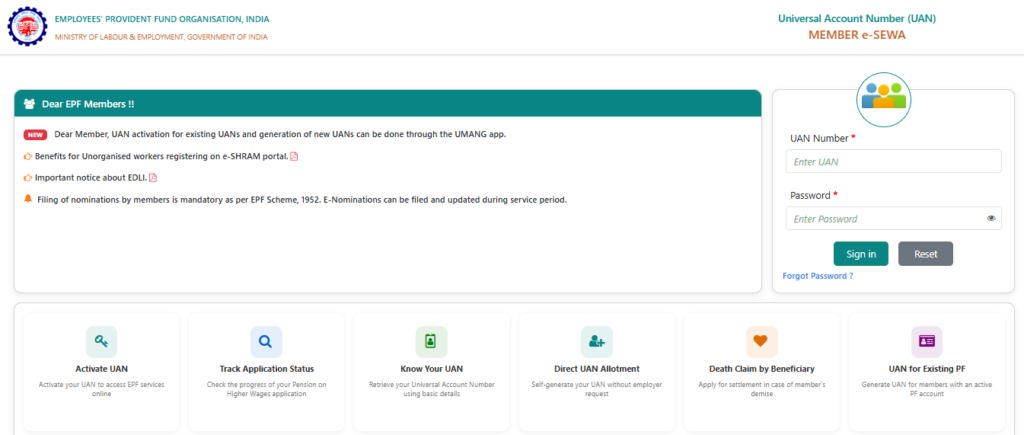
📌 EPFO Unified Portal login के लिए unifiedportal-mem.epfindia.gov.in पर जाएं, UAN + Password + CAPTCHA दर्ज करें, फिर OTP verify करें।
Official URL: unifiedportal-mem.epfindia.gov.in
Member Login — पूरा Process
ज़रूरी चीज़ें:
UAN Number (12 अंकों का)
UAN Password
Registered Mobile Number (OTP के लिए)
Step 1: Browser में EPFO Unified Portal खोलें।
Step 2: UAN Number (12-digit) दर्ज करें।
Step 3: Password enter करें।
Step 4: CAPTCHA fill करें।
Step 5: “Sign In” button पर click करें।
Step 6: Registered mobile पर OTP आएगा — verify करें।
Step 7: Dashboard open हो जाएगा। ✅
Dashboard पर यह सब कर सकते हैं:
PF Passbook देखें
KYC Details manage करें
Online Claim file करें
PF Transfer request करें
Nomination update करें
Profile details देखें
Password भूल गए? “Forgot Password” → UAN दर्ज करें → Aadhaar OTP से verify करें → नया Password set करें। Mobile Aadhaar से linked होनी चाहिए।
2. Jeevan Pramaan Patra (Life Certificate) Submit करें अब physically जमा करने की ज़रूरत नहीं।
Process:
UMANG App download करें
“Jeevan Pramaan” service select करें
Aadhaar number और Face Scan से verify करें
Certificate submit हो जाएगा
3. Pension Related Grievance Problem हो तो epfigms.gov.in पर complaint करें।
EPS Pension के लिए Eligibility
Minimum 10 साल की service (EPFO-covered)
Age 58 साल → Regular pension
Age 50 साल → Reduced pension (10 साल service होने पर)
UAN क्या है? — Activation, Login और UAN Card
📌 UAN क्या है? UAN (Universal Account Number) एक 12-अंकों का permanent identification number है जो EPFO हर employee को एक बार assign करता है। यह number नौकरी बदलने पर भी same रहता है और सभी PF accounts को एक जगह link करता है।
UAN का Full Form और Meaning
UAN = Universal Account Number
12-अंकों का unique number — जीवन भर same रहता है। इसे PF का Aadhaar Card भी कह सकते हैं।
UAN के फ़ायदे:
नौकरी बदलने पर नया PF account UAN से link हो जाता है
Online balance check, withdrawal, transfer — सब UAN से
Employer dependency कम होती है
UAN Number कहाँ से मिलेगा?
Salary Slip पर (ज़्यादातर companies print करती हैं)
Employer से directly पूछें
EPFO Portal पर “Know Your UAN” section में Aadhaar/PAN से find करें
UAN Activate कैसे करें? — 2026 Updated Process
⚠️ Important Update: EPFO ने Unified Portal से Direct UAN Activation बंद कर दिया है। अब UAN activation सिर्फ UMANG App से होती है — Aadhaar Face Authentication के ज़रिए।
UMANG App से UAN Activate करने का Process:
Step 1: Google Play Store या Apple App Store से UMANG App download करें।
Step 2: App में “EPFO” service search करें।
Step 3:“UAN Services Through Face Auth” select करें।
Step 4:“UAN Allotment and Activation” पर click करें।
Step 5: Aadhaar Number दर्ज करें।
Step 6:Face Scan से Aadhaar verify करें।
Step 7: Password set करें।
Step 8: UAN Activated!
UAN Login — Step-by-Step
Step 1: EPFO Unified Portal (unifiedportal-mem.epfindia.gov.in) पर जाएं।
Step 2: UAN और Password दर्ज करें।
Step 3: CAPTCHA fill करें → Sign In।
Step 4: OTP verify करें → Dashboard open।
UAN Card — Download कैसे करें?
UAN Card एक digital identity card है जिस पर UAN Number, Name, Father’s Name, DOB और Member ID होती है।
Step 1: UAN Portal में Login करें।
Step 2: Top Menu → “View” → “UAN Card” select करें।
Step 3: Download या Print करें।
UAN से जुड़ी Common Problems और Solutions
Problem
Solution
UAN Activate नहीं हो रहा
UMANG App से Face Auth process try करें
Password भूल गए
Forgot Password → Aadhaar OTP से reset
Mobile Number registered नहीं
EPFO office में जाकर update करें
UAN नहीं पता
Salary Slip देखें / EPFO portal पर Know Your UAN
दो UAN हैं
Helpline 1800 118 005 पर call करें
UAN vs Member ID vs PF Account Number — फ़र्क़ क्या है?
यह confusion बहुत लोगों को होती है। एक बार समझ लें:
तीनों में अंतर — एक नज़र में:
Term
Format
Details
UAN
12-digit number
Permanent — life-long same रहता है। नौकरी बदलने पर नहीं बदलता।
PF Account Number
22-digit alphanumeric
State Code + Regional Code + Establishment Code + Extension + Member ID। हर नई job पर नया बनता है।
Member ID
7-digit
PF Account Number का हिस्सा। हर employer के साथ नया बनता है, लेकिन UAN से linked रहता है।
Example:
आपका UAN: 100123456789 (हमेशा same)
पहली job का PF Number: MH/BAN/0012345/000/0000123
दूसरी job का PF Number: DL/DEL/0098765/000/0000456
लेकिन दोनों UAN 100123456789 से linked हैं
EPF/PF Balance Check करने के 6 तरीके
📌 सबसे Fast तरीका: 9966044425 पर registered mobile से Missed Call दें। Call automatically cut होगी और कुछ seconds में SMS में PF balance मिल जाएगा।
PF Balance Check के 6 तरीके — एक नज़र में:
Method
Number/URL
Speed
1. Missed Call
9966044425
Instant
2. SMS
EPFOHO UAN ENG → 7738299899
Instant
3. EPFO Passbook Portal
passbook.epfindia.gov.in
2-3 minutes
4. UMANG App
App Store/Play Store
2-3 minutes
5. DigiLocker
digilocker.gov.in
2-3 minutes
6. Helpline
1800 118 005
5-10 minutes
Method 1: Missed Call से PF Balance Check (सबसे Fast)
Step 1: अपने registered mobile number से call करें: 📞 9966044425
Step 2: Call automatically 2 rings में cut हो जाएगी।
Step 3: SMS में PF balance, Last Contribution और Member ID मिलेगी।
Requirements: UAN activated + Aadhaar/PAN/Bank में से कोई एक KYC linked होनी चाहिए।
Method 2: SMS से PF Balance Check
Registered mobile से SMS भेजें:
EPFOHO UAN ENG → 7738299899
UAN की जगह actual UAN Number लिखें
Language codes: ENG, HIN, BEN, GUJ, KAN, MAL, PUN, TAM, TEL, MAR
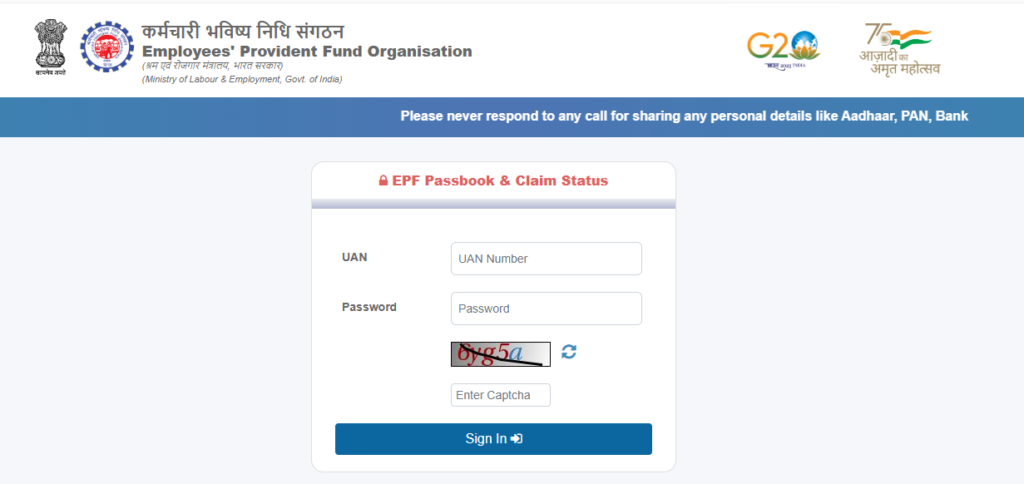
Method 3: EPFO Portal (Passbook) से Balance Check
passbook.epfindia.gov.in पर जाएं
UAN + Password से login करें
Member ID select करें → View Passbook
Complete transaction history और balance दिखेगा
फ़ायदा: Most detailed — हर महीने का contribution और interest।
EPFO Portal → “Know Your UAN” → Aadhaar/PAN/Member ID दर्ज करें → OTP verify करें → UAN मिलेगा
Salary Slip check करें
Employer/HR से पूछें
EPFO Helpline 1800 118 005 पर call करें
UAN मिलने के बाद ऊपर दिए 6 methods में से कोई भी use करें।
Exempted Establishment — Passbook नहीं दिख रही?
“Passbook not available for this Member ID” — क्या करें?
अगर Passbook portal पर यह message आए तो घबराएं नहीं।
इसका मतलब है आपकी company एक Exempted Establishment है।
Exempted Establishment क्या होती है?
कुछ बड़ी companies को EPFO से छूट (exemption) मिली होती है — वे अपना PF fund खुद manage करती हैं। इन companies का EPFO के passbook portal पर data नहीं होता।
ऐसी situation में क्या करें:
अपने HR / Accounts Department से directly passbook माँगें
Company का अपना PF Trust होता है — वहाँ से balance confirm करें
EPFO Regional Office में जाकर अपनी company का status confirm कर सकते हैं
UAN Aadhaar से linked है तो name और DOB के लिए अलग documents ज़रूरी नहीं — Aadhaar data से automatically match होता है।
Offline Process (ज़रूरत हो तो)
EPFO website से Joint Declaration Form download करें
Employee + Employer दोनों sign और seal
EPFO Regional Office में submit करें
EPF Calculator — अपना PF Amount Calculate करें
📌 EPF Calculation Formula: Monthly Total = Employee (12%) + Employer EPF (3.67%) Final Corpus = Total Contributions + Compounded Interest (8.25% p.a.)
Example Calculation
मान लीजिए Basic Salary ₹30,000/month, Service 25 साल:
Component
Amount
Basic Salary
₹30,000/month
Employee Contribution (12%)
₹3,600/month
Employer EPF Contribution (3.67%)
₹1,101/month
Monthly Total
₹4,701/month
Annual EPF Contribution
₹56,412
Interest Rate
8.25% (compounded)
25 साल बाद Corpus
~₹45-50 Lakhs+
(Salary increment नहीं मान रहे — actual amount इससे ज़्यादा होगी)
Online EPF Calculator:
epfindia.gov.in → “Calculators” section → Basic Salary, Age, Years, Interest Rate enter करें।
Voluntary PF (VPF)
12% से ज़्यादा contribute करना चाहते हैं तो VPF का option है।
Same interest rate (8.25%)
Section 80C tax benefit
Maximum — Basic + DA का 100% तक
Employer को inform करना होगा
EPFO में Mobile Number कैसे Change करें?
📌Aadhaar linked है तो EPFO Portal → Manage → Change Mobile No. → नया number → Aadhaar OTP से verify करें।
Method 1: Online — Aadhaar OTP से
Step 1: EPFO Portal Login करें।
Step 2: “Manage” → “Change Mobile No.”।
Step 3: नया Mobile Number enter करें।
Step 4: Aadhaar OTP verify करें।
Step 5: Done
Method 2: Offline — EPFO Office में
अगर Aadhaar से number linked नहीं या पुराना number बंद हो गया:
EPFO Regional Office में जाएं
Form fill करें + Identity Proof attach करें
Submit करें
Common Issues:
Problem
Solution
OTP नहीं आया
Spam folder check करें — 10 minutes wait करें
पुराना number बंद हो गया
EPFO office — offline process ज़रूरी
Aadhaar से number match नहीं
पहले UIDAI (uidai.gov.in) में update करें
EPFO TRRN — क्या होता है?
📌 TRRN = Temporary Return Reference Number यह वह reference number है जो Employer को ECR (Electronic Challan cum Return) file करने पर मिलता है।
TRRN किसके लिए है?
मुख्य रूप से Employers के लिए:
Employer monthly ECR file करता है → TRRN generate होता है
TRRN से payment track होता है
Payment successful होने पर employees के accounts में credit होता है
Employee के लिए क्या मतलब?
अगर किसी month का contribution passbook में नहीं दिख रहा:
Employer ने ECR file नहीं की (TRRN generate नहीं हुई) — या
TRRN generate हुई लेकिन payment नहीं हुई
ऐसे में Employer से TRRN माँगें या EPFO Grievance Portal पर complaint करें।
EPFO Grievance Portal — Complaint कैसे करें?
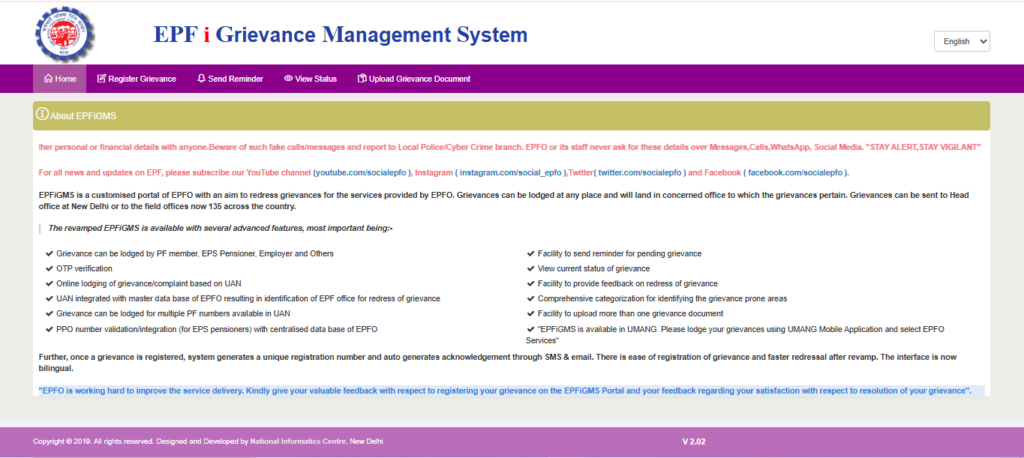
📌 EPFiGMS = EPF i-Grievance Management SystemURL: epfigms.gov.in — यहाँ EPFO से जुड़ी कोई भी शिकायत online दर्ज होती है।
Grievance File करें — Step-by-Step
Step 1: epfigms.gov.in पर जाएं।
Step 2: “Register Grievance” पर click करें।
Step 3: Member/Employer/Pensioner — select करें।
Step 4: UAN/Establishment Number दर्ज करें।
Step 5: Personal details verify होंगी।
Step 6: Grievance Category select करें।
Step 7: Problem detail में describe करें।
Step 8: Documents attach करें (ज़रूरत हो तो)।
Step 9: Submit करें।
Step 10:Registration Number मिलेगा — save करें
Common Grievance Categories:
PF Balance update नहीं हुआ
Withdrawal में delay या rejection
KYC approve नहीं हो रही
Employer contribution नहीं जमा कर रहा
PF Transfer में problem
Pension नहीं आ रही
Grievance Status Check:
epfigms.gov.in → “View Status” → Registration Number enter करें।
Response Time: 15-30 working days। Satisfied नहीं हैं तो “Unsatisfied” mark करके re-open करें।
EPFO Contact Details — सब एक जगह:
माध्यम
Details
Toll-Free Helpline
1800 118 005
Email
epfohelpdesk@epfindia.gov.in
Grievance Portal
epfigms.gov.in
UMANG App
EPFO section में
Timing
सोमवार–शनिवार, 9:15 AM – 5:45 PM
Loan Against PF — क्या PF पर Loan मिलता है?
PF Advance vs PF Loan — फ़र्क़
EPFO directly Loan नहीं देता। PF Advance (Partial Withdrawal) देता है — जो वापस नहीं करना। Banks EPF balance को collateral मानकर loan दे सकती हैं — वह अलग product है।
PF Advance — कब और कितना मिलेगा?
Purpose
Minimum Service
Limit
Medical Emergency
कोई minimum नहीं
6 months salary + DA या EPF (जो कम हो)
शादी
7 साल
Employee EPF का 50%
Higher Education
7 साल
Employee EPF का 50%
Home Purchase
5 साल
Employee EPF का 90%
Home Construction
5 साल
Employee EPF का 90%
Home Renovation
10 साल
12 months salary या Employee EPF (जो कम हो)
Home Loan Repayment
10 साल
36 months basic salary
Pre-retirement (54 साल)
54 साल age
90% of EPF balance
Natural Calamity
—
3 months basic salary + DA
Bank Loan Against PF:
अपनी bank branch में जाएं
EPF Account details + Passbook दिखाएं
Bank अपने terms पर loan approve करेगी
EMI चुकानी होगी — PF Advance की तरह free नहीं है
EPF Login और Registration — नए Members के लिए
Employee का EPF Registration कैसे होता है?
Employee को खुद register नहीं करना — Employer की ज़िम्मेदारी है।
Registration के बाद Establishment Code मिलता है — यही PF Number का prefix है।
Higher Pension under EPS 1995 — क्या है और कैसे Apply करें?
Higher Pension क्या है?
EPS 1995 (Employees’ Pension Scheme) में normally pension ₹15,000 की wage ceiling पर calculate होती है। लेकिन जिन employees की actual salary ₹15,000 से ज़्यादा थी, वे Higher Pension के लिए apply कर सकते थे — यानी actual salary पर pension।
Supreme Court का Order (2022)
Supreme Court ने November 2022 में order दिया कि employees को Higher Pension का option मिलना चाहिए। इसके बाद EPFO ने online application window खोली।
Higher Pension के लिए Eligibility:
September 1, 2014 से पहले EPF member होने चाहिए
Employer और Employee दोनों ने actual salary पर contribution किया हो
या joint option पहले file किया हो और EPFO ने reject किया हो
Current Status (2026):
Application window already close हो चुकी है
जिन्होंने apply किया था, उनके cases EPFO processing कर रहा है
अगर आपने apply किया था — EPFO portal पर status check करें: epfindia.gov.in → Services → Higher Pension Application Status
Higher Pension से कितना फ़र्क़ पड़ता है?
अगर actual salary ₹50,000 थी:
Normal pension: ₹15,000 ceiling पर calculate = कम pension
Higher pension: ₹50,000 पर calculate = काफ़ी ज़्यादा pension
International Workers और Certificate of Coverage (CoC)
International Workers के लिए EPFO:
अगर कोई Indian employee abroad काम करता है, या कोई foreign employee India में काम करता है — उनके लिए special provisions हैं।
Certificate of Coverage (CoC) क्या है?
CoC एक document है जो ensure करता है कि employee को दोनों countries में social security contribution नहीं देनी पड़े। India के जिन देशों के साथ Social Security Agreements (SSA) हैं, उनके employees CoC के लिए eligible हैं।
CoC के लिए Apply करने का Process:
EPFO International Workers Portal पर जाएं
Employee application fill करे
Employer verify और submit करे
EPFO approve करेगा → Digital CoC download करें
Countries जिनके साथ India का SSA है: Germany, South Korea, Japan, France, Switzerland, Denmark, Finland, Norway, Hungary, Czech Republic, Belgium, Australia, Canada, Sweden, Portugal, Austria, Netherlands।
EPFO 2026 — नए Rules और Updates
1. EPFO 3.0 Launch
Faster claims, Face Authentication, Auto-credit — पूरा system upgraded।
2. Automatic PF Transfer
नई नौकरी join करने पर PF automatically transfer — manually request की ज़रूरत नहीं।
3. Aadhaar-Based Profile Update
Name, DOB, Gender — Aadhaar से directly update। अलग documents upload ज़रूरी नहीं।
4. Faster Claim Settlement
3-7 working days में settlement (EPFO 3.0 के बाद, KYC complete members के लिए)।
5. ELI Scheme — Employment Linked Incentive (Budget 2026)
Employees के लिए:
पहली बार EPFO register (salary ₹1 लाख से कम)
₹15,000 benefit — 2 installments में (6 और 12 महीने बाद)
Financial Literacy course complete करना होगा
Employers के लिए:
नए employees hire पर ₹3,000/month incentive (2 साल तक)
Manufacturing sector को 4 साल तक
6. Digital Life Certificate for Pensioners
Facial Authentication Technology (FAT) से UMANG App के ज़रिए घर से Jeevan Pramaan submit करें।
Balance Check और Claim Track — हाँ। Full Withdrawal के लिए EPFO Unified Portal use करें।
Q23. PF Account Number और UAN में क्या फ़र्क़ है?
UAN 12-digit permanent number है — lifetime same रहता है। PF Account Number 22-digit alphanumeric है — हर नई job पर बदलता है लेकिन UAN से linked रहता है।
Q24. International Worker के लिए CoC क्या है?
Certificate of Coverage — जो employees India और abroad दोनों जगह work करते हैं उन्हें double social security contribution से बचाता है। EPFO International Workers Portal पर apply होता है।
Q25. क्या Part-Time Employees EPF के eligible हैं?
नहीं, EPF organized sector के regular salaried employees के लिए है।
Quick Reference — सभी ज़रूरी Links और Numbers
EPFO की सभी ज़रूरी जानकारी एक नज़र में:
Service
Link / Number
EPFO Official Website
epfindia.gov.in
Member Portal (UAN Login)
unifiedportal-mem.epfindia.gov.in
Employer Portal
unified.epfindia.gov.in
EPF Passbook
passbook.epfindia.gov.in
Grievance Portal
epfigms.gov.in
DigiLocker
digilocker.gov.in
EPFO Helpline
1800 118 005
Balance Check — Missed Call
9966044425
Balance Check — SMS
EPFOHO UAN ENG → 7738299899
UMANG App
Play Store / App Store
UIDAI (Aadhaar)
uidai.gov.in
निष्कर्ष
EPFO सिर्फ एक government scheme नहीं है — यह आपके retirement की सबसे मज़बूत नींव है। हर महीने salary से कटने वाला PF एक दिन बहुत बड़े काम आएगा।
इस article में EPFO की हर ज़रूरी जानकारी cover की गई — EPFO full form, EPFO 3.0, UAN activation का नया UMANG process, PF balance check के 6 तरीके, EPF withdrawal की online process, KYC update, PF transfer, Higher Pension, International Workers, Grievance Portal और 2026 के नए rules।
अब से इन बातों का ध्यान रखें:
✅ UAN UMANG App से Activate करें — Portal से अब नहीं होता
✅ KYC Complete रखें — Aadhaar + PAN + Bank तीनों link करें
✅ Nomination ज़रूर करें — Emergency में परिवार को मिलेगा